Arturia Pigments 7: The Modern Wavetable & Granular Powerhouse
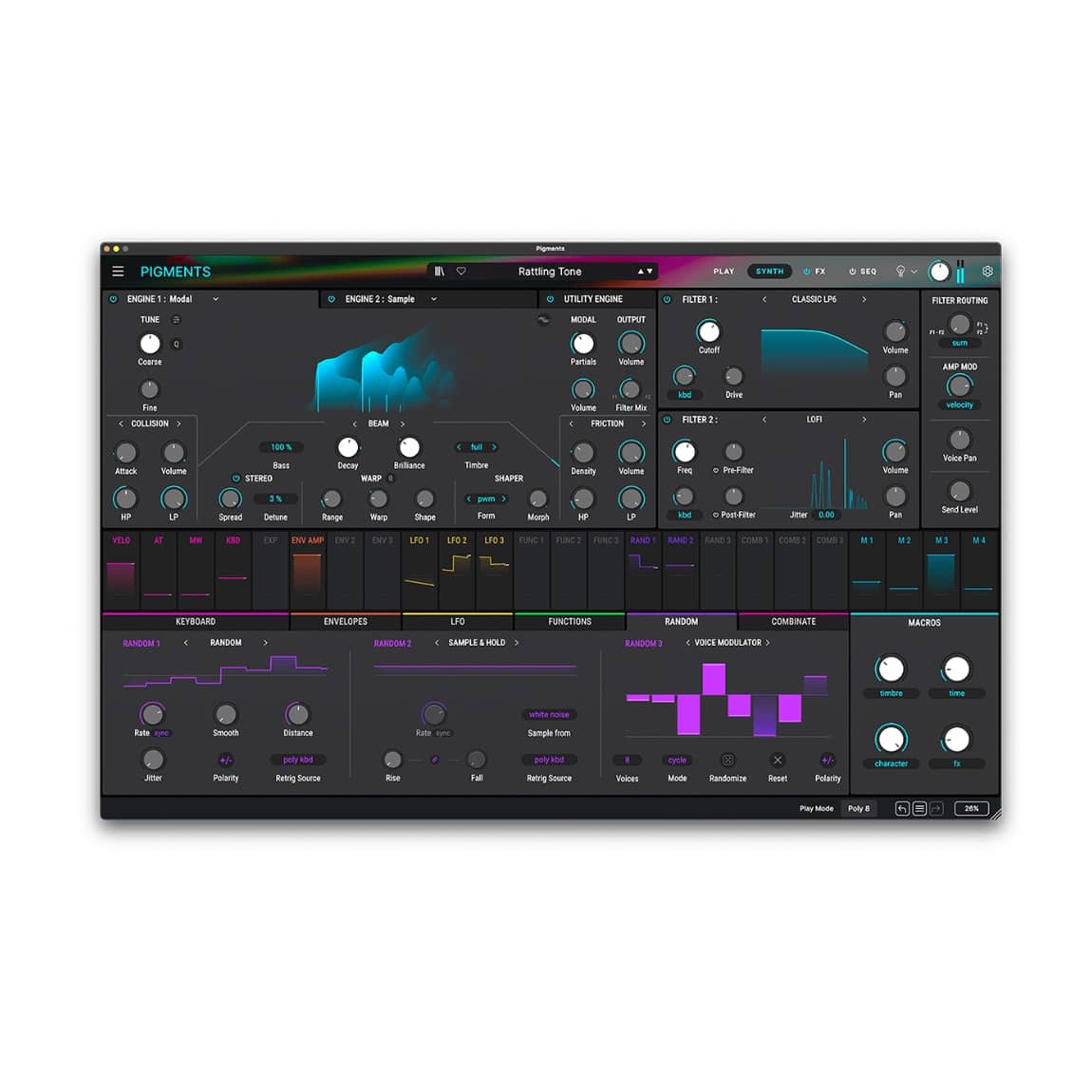
Pigments 7 is Arturia’s flagship original synthesizer, designed for boundary-pushing sound design. Unlike their emulations, Pigments is a modern hybrid synth that blends wavetable, virtual analog, granular, and harmonic synthesis. It is highly regarded for its visual, color-coded workflow that makes complex modulation easy to understand.
Key Features of Pigments 7:
- 6 Synthesis Engines: Includes Modal, Granular, Wavetable, Sample, Harmonic, and Virtual Analog.
- Dual Filters: Choose from 19 modern filter types and 68 filter modes for precise sculpting.
- Visual Modulation: A reactive, color-coded interface shows your sound moving in real-time.
- Generative Tools: Advanced sequencing and modulation for complex, evolving patches.
- Premium Effects: Features over 20 studio-grade FX, including Shimmer Reverb and Multiband Compression.
Step-by-Step Guide: Register & Install Your Arturia Plugins from Plugin Discounts
Activating Arturia Plugins (Purchased from Plugin Discounts)
Registering and installing Arturia plugins is managed primarily through the Arturia Software Center (ASC). To complete this process, you will need your Serial Number (format: XXXX-XXXX-XXXX-XXXX) and your Unlock Code. Uc: = Unlock Code (format: XXXXXXXX)
Follow these steps to enable your license and access the installer:
- Create or Log In to Your Arturia Account
- Go to the Arturia Account Creation page if you don’t already have one.
- Follow the instructions to register your details and confirm your account via the verification link sent to your email.
- Register Your Product
- Log in to your MyArturia account.
- Navigate to the Product Registration page or click “Register a new product” on your account dashboard.
- Enter your Serial Number and Unlock Code in the corresponding fields and click Register.
- Download and Install Arturia Software Center (ASC)
- The ASC is the central hub used to download, activate, and update all your Arturia instruments and effects.
- Download the Arturia Software Center (ASC) for your operating system (macOS or Windows).
- Run the installer and follow the on-screen prompts to complete the setup.
- Activate and Install Your Plugins
- Launch the Arturia Software Center and log in using your account credentials.
- In the main dashboard, locate your registered product in the list.
- Click the green “Activate” button next to the product to authorize it on your current computer.
- Once activated, click the “Install” button to download and install the software. You may be asked to define your preferred destination folders for VST/AU files during the first installation.
Enjoy!