Draw the timing, then pick the color
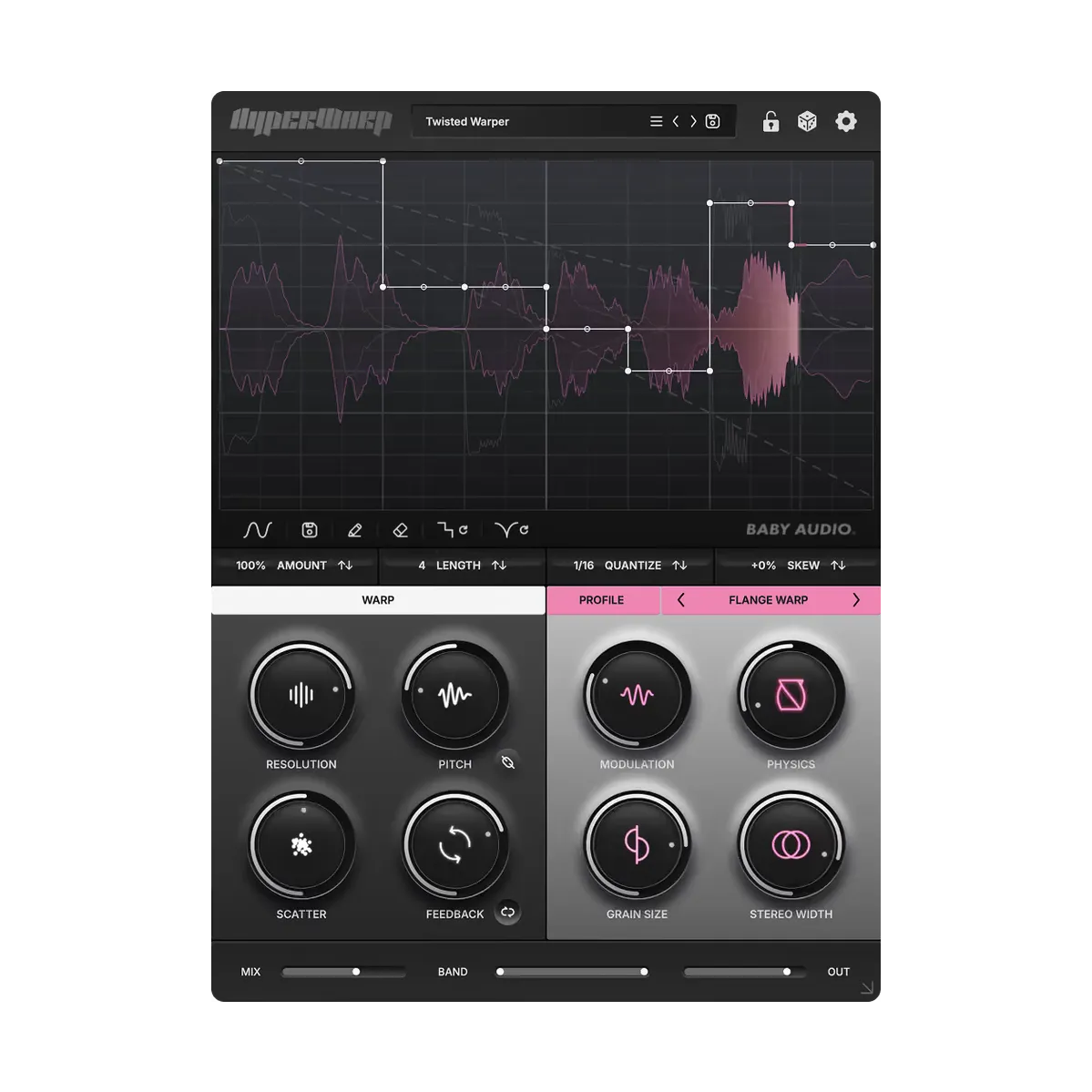
Baby Audio HyperWarp is a granular time-warp effect. You draw the timing on a graph, then color it with one of seven profiles.
Seven Profiles, Four Macros Each:
- Clean Warp: Transparent time edits for chops that should still sound like the source. Macros: vibrato amount, vibrato speed, feedback time, circuit-bend.
- Flange Warp: Tight grains and squeaky modulation as playback speed changes. Macros: modulation, physics, grain size, stereo width.
- Degrade Warp: Lo-fi time disruption with downsampling on the grains. Macros: degrade, filter cutoff, grain size, chaos.
- Filter Spam: Filter motion on individual grains, including random movement. Macros: filter cutoff, filter randomness, filter resonance, octave randomness.
- Harmo-Nicer: Extra harmonic density from pitch-shifted grains. Macros: harmonize, detune, speed, reverse.
- Fauxcoder: Resonant harmonic tones in the vein of a vocoder. Macros: amount, squelch, cutoff, magic.
- Lo-Fizzly: Granular digital downsampling with a fizzier edge. Macros: degrade, dirt, radio, rate.
Blend it back into the mix
Wet/dry mix and a band control on the effect signal, with high-pass and low-pass on the wet path only, keep the warp from taking over the dry source. Output level sets the final gain. Baby Audio includes 190 presets as starting points for vocals, drums, synths, guitars, and pads.
Key Features:
- Graphical sequencer for speed shifts, stutters, and playback direction.
- Granular engine with pitch independent of time in Clean Warp.
- Pitch range of ±2 octaves, with semitone snap.
- Resolution, Scatter, feedback, and ping-pong feedback.
- Seven profiles, each with four macros.
- Wet/dry mix plus high-pass and low-pass on the wet signal.
- 190 presets, plus graph-shape tools and randomization.
- VST, VST3, AU, and AAX, 64-bit.
- macOS 10.13 or later, including Apple Silicon. Windows 10 or later.
- Works in major DAWs, including Ableton Live, Logic Pro, Pro Tools, FL Studio, Cubase, Studio One, Bitwig, Reaper, and Reason.