Features:
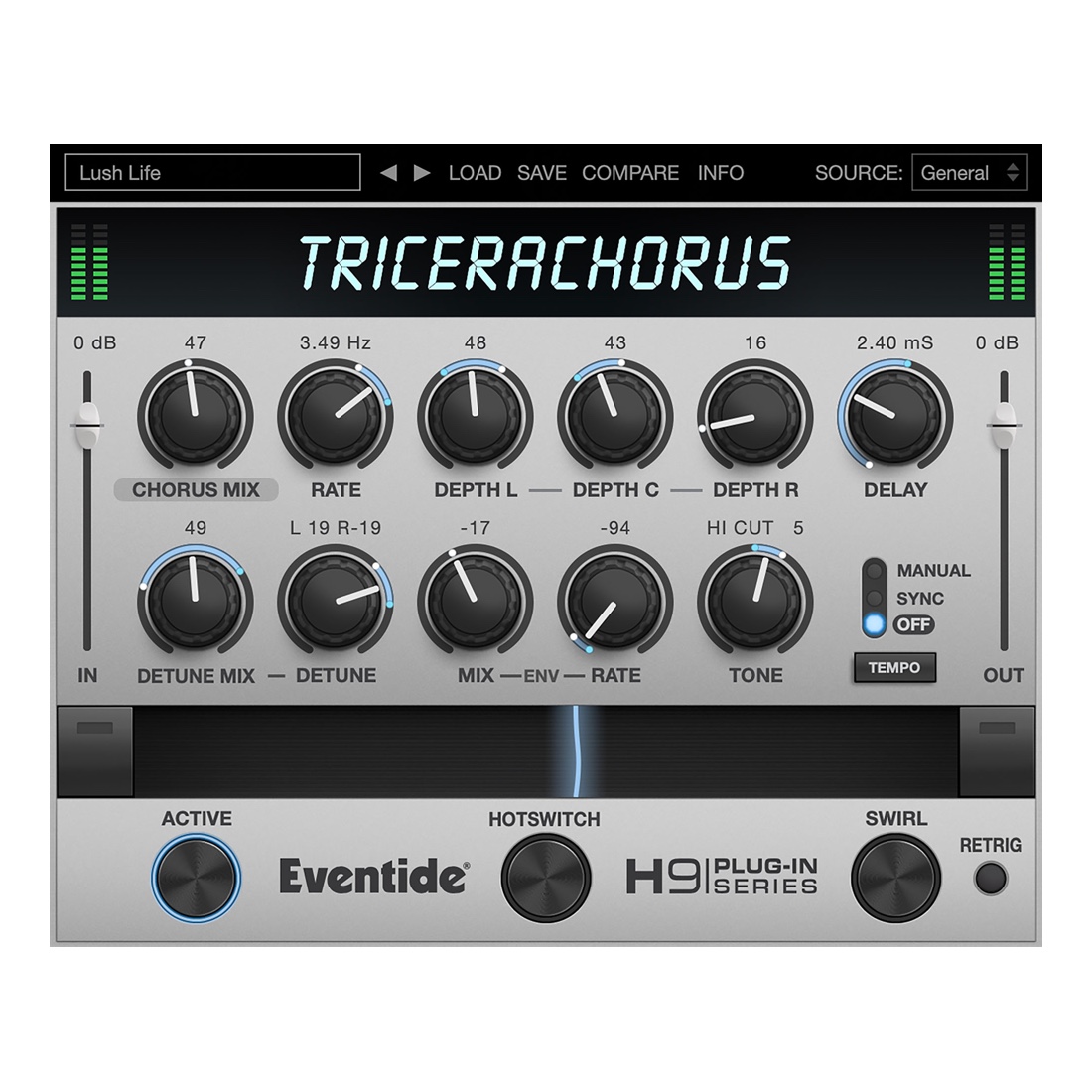
- Bucket Brigade Delay-style stereo Tri-chorus
- CHORUS Mode evokes the chorusing effect created by classic chorus stompboxes
- CHORALE Mode produces lush, swirling choruses inspired by classic rackmount Tri-chorus units
- CHORUS MIX adds just a hint of chorusing, or turn it all the way up for vibrato
- DEPTH L/C/R controls the amount of modulation applied to each of the 3 voices from the LFO. Individual voices can muted allowing you to use any combination of voices
- DETUNE the left and right channels simultaneously by +/- 40 cents
- DELAY sets the amount of delay for the chorusing effect; use it to thicken your signal, create a flange, or slap-back sound
- SWIRL adds stereo frequency shifting for a psychedelic flange-like flavor
- TONE for shaping the high and low end of your signal. Remove muddy low frequencies or roll of high frequencies for a darker sound
- RIBBON lets you morph the effect between two different settings
- Available for Mac and PC as VST, AAX, and AU plug-in
- iOS version works as an AUv3 plug-in and standalone app
Step-by-Step Guide: Register & Install Your Eventide Plugins from Plugin Discounts
Activating Eventide Codes (Purchased from Plugin Discounts)
Follow these steps to enable your license and access the installer:
- Step 1: Log in to your Eventide account
Go to https://www.eventideaudio.com/my-account. Create an account if you don’t have one. - Step 2: Register your plugin
Go to My Account → Register Products (or “Register a New Product”).
Enter your Serial Number and License Key.
Also enter your iLok.com username.
Submit — the license is automatically sent to your iLok account. - Step 3: Download the installer
Go to the Downloads page.
Download the correct installer for your OS (Mac or Windows) and plugin format (VST/AU/AAX). - Step 4: Install the plugin(s)
Windows: Run the .exe installer.
macOS: Open the .dmg and run the .pkg installer.
Follow the on-screen prompts. - Step 5: Authorize with iLok License Manager
Download/install iLok License Manager from www.ilok.com if you don’t have it.
Open iLok License Manager → sign in.
Find your Eventide license and drag it to your Computer (or iLok dongle).
Click Activate. - Step 6: Open your DAW
Launch your DAW and rescan for new plugins. The Eventide plugin should now appear and work.
Notes:
- Eventide plugins require iLok authorization (no physical dongle needed unless you choose one).
- Supported DAWs: Most major ones that support VST, AU, or AAX.
If you run into issues, check the official troubleshooting on the same page.