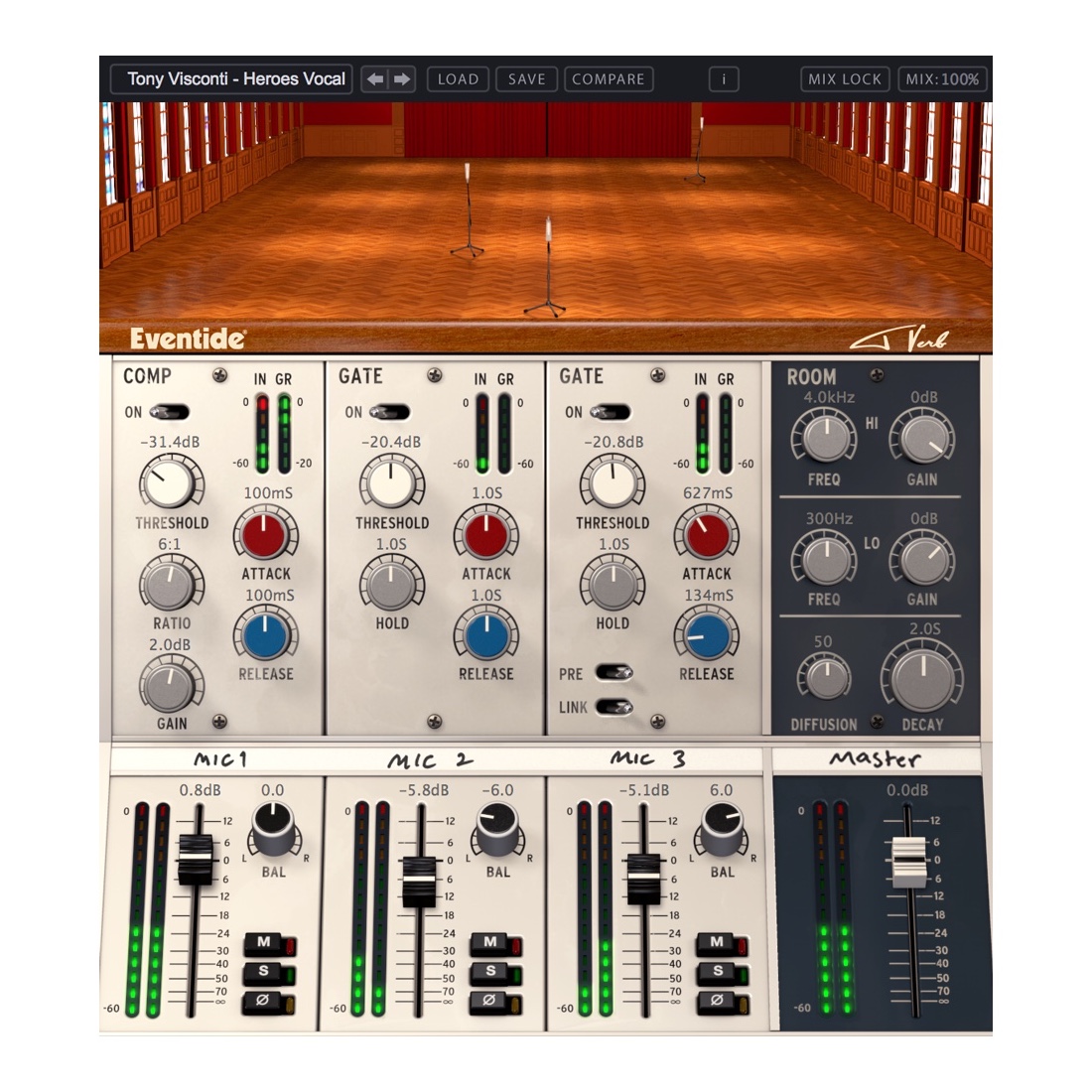
Developed in collaboration with legendary producer, engineer and musician, Tony Visconti. Tverb was inspired by the iconic sound of the title track of David Bowie’s twelfth studio album, Heroes, recorded in August 1977 in the shadow of the Berlin Wall. With only one track left for lead vocals, Visconti was able to harness the power of Bowie’s voice by inventing a stunning recording technique.
Visconti set up three microphones in the hall of Berlin’s Hansa Studios, the first for Bowie to sing directly into, a second positioned about 15 feet away and the third further back in the hall. Visconti placed gates on the second and third microphones set to open as Bowie sang louder and louder.
Signature Techniques:
Tverb integrates three completely independent lush reverbs with compression and selectable polar patterns on microphone 1 and adjustable gates on microphones 2 and 3. Tverb recreates Visconti’s iconic effect as a starting point while adding features that enable new soundscapes and effects. The use of stereo microphones enhances the effect and DAW automation can be used to program the microphones to wander around the hall as the track plays.
Key Features:
- 2 Moveable microphones to adjust reverb size and tone
- Adjustable polar patterns for microphone 1 to adjust the amount of ambient room tone
- Custom Eventide reverb algorithm with EQ, diffusion, and decay control
- Compressor module on microphone 1, just as Visconti had in the original session
- 2 Linkable post-reverb gate modules with control of when the gates close, the speed at which they close and the length of time they are forced to stay open
- Console (inspired by the one used in the session and with Visconti’s “grease pencil” labelling) provides post-reverb channel processing for each individual mic and the master
- Room mixer module alters the sound of the room itself with control over decay, diffusion and frequency attenuation
- Signal inversion buttons to remove (or create) phase cancellation
- Mix Lock allows for scrolling through presets or settings while keeping the wet/dry mix constant
- Complete automation support
Step-by-Step Guide: Register & Install Your Eventide Plugins from Plugin Discounts
Activating Eventide Codes (Purchased from Plugin Discounts)
Follow these steps to enable your license and access the installer:
- Step 1: Log in to your Eventide account
Go to https://www.eventideaudio.com/my-account. Create an account if you don’t have one. - Step 2: Register your plugin
Go to My Account → Register Products (or “Register a New Product”).
Enter your Serial Number and License Key.
Also enter your iLok.com username.
Submit — the license is automatically sent to your iLok account. - Step 3: Download the installer
Go to the Downloads page.
Download the correct installer for your OS (Mac or Windows) and plugin format (VST/AU/AAX). - Step 4: Install the plugin(s)
Windows: Run the .exe installer.
macOS: Open the .dmg and run the .pkg installer.
Follow the on-screen prompts. - Step 5: Authorize with iLok License Manager
Download/install iLok License Manager from www.ilok.com if you don’t have it.
Open iLok License Manager → sign in.
Find your Eventide license and drag it to your Computer (or iLok dongle).
Click Activate. - Step 6: Open your DAW
Launch your DAW and rescan for new plugins. The Eventide plugin should now appear and work.
Notes:
- Eventide plugins require iLok authorization (no physical dongle needed unless you choose one).
- Supported DAWs: Most major ones that support VST, AU, or AAX.
If you run into issues, check the official troubleshooting on the same page.