
Reverb Time Machine
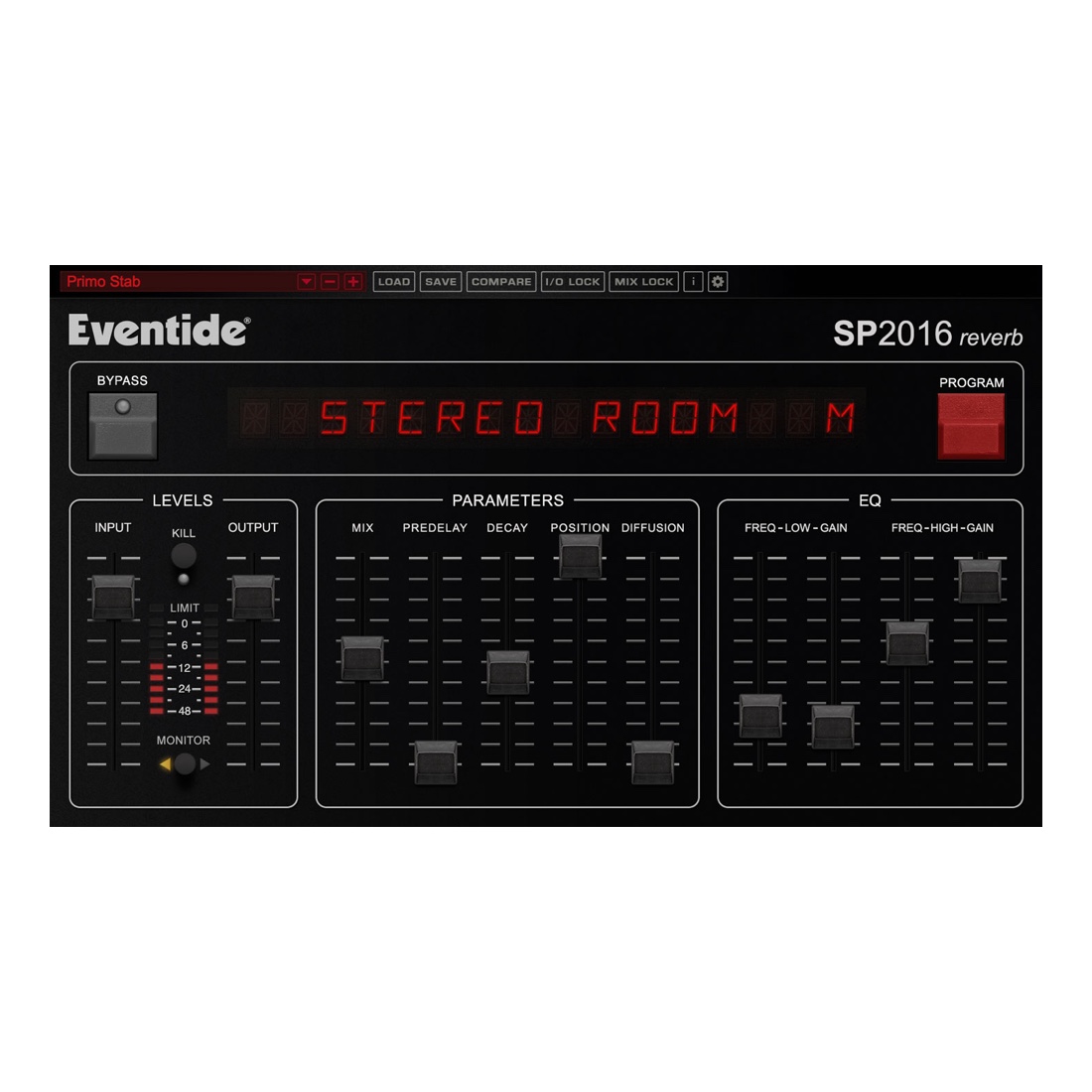
The SP2016 was the first programmable effects box available on the market. It introduced the concept of the ‘plug-in’ to the pro audio world back in 1982, with actual hardware chips that would be plugged in under the hood. Revered for its signature reverbs, the SP2016 was notably used by Dave Pensado, George Massenburg, Alan Sides, Roy Hendrickson, Jack Douglas, and Mick Guzauski. The lush reverb can be heard on countless hit records by Talking Heads, Adele, Mariah Carey, Eminem, and more. Now, 36 years later, this signature sound is available for your DAW.
Six Distinct Reverbs
The SP2016 reverbs have attracted a loyal user base by using a particular blend of art and science – the end result is an effect that sounds natural and distinctive. The plug-in includes authentic emulations of Room, Stereo Room, and Hi-Density Plate algorithms, each available in two versions: Vintage and Modern. The Vintage algorithms are true to the original box, all the way down to the bit-depth. The Modern algorithms are brighter, more diffuse, and use a higher bit-depth.
The algorithms naturally emulate every aspect of the sound of a real physical environment – from the complex early reflections, to the natural way in which the echo density increases with time, to the smooth Gaussian decay of the reverb tail. It’s a powerful simulation that lends itself to parametric control.
Step-by-Step Guide: Register & Install Your Eventide Plugins from Plugin Discounts
Activating Eventide Codes (Purchased from Plugin Discounts)
Follow these steps to enable your license and access the installer:
- Step 1: Log in to your Eventide account
Go to https://www.eventideaudio.com/my-account. Create an account if you don’t have one. - Step 2: Register your plugin
Go to My Account → Register Products (or “Register a New Product”).
Enter your Serial Number and License Key.
Also enter your iLok.com username.
Submit — the license is automatically sent to your iLok account. - Step 3: Download the installer
Go to the Downloads page.
Download the correct installer for your OS (Mac or Windows) and plugin format (VST/AU/AAX). - Step 4: Install the plugin(s)
Windows: Run the .exe installer.
macOS: Open the .dmg and run the .pkg installer.
Follow the on-screen prompts. - Step 5: Authorize with iLok License Manager
Download/install iLok License Manager from www.ilok.com if you don’t have it.
Open iLok License Manager → sign in.
Find your Eventide license and drag it to your Computer (or iLok dongle).
Click Activate. - Step 6: Open your DAW
Launch your DAW and rescan for new plugins. The Eventide plugin should now appear and work.
Notes:
- Eventide plugins require iLok authorization (no physical dongle needed unless you choose one).
- Supported DAWs: Most major ones that support VST, AU, or AAX.
If you run into issues, check the official troubleshooting on the same page.
Gabriel P. (verified owner) –
Authentic analog! Close to my TC one!