Sale!

ACE Studio Artist 2.0 Lifetime

Original price was: $398.00.Current price is: $348.25.

-13%

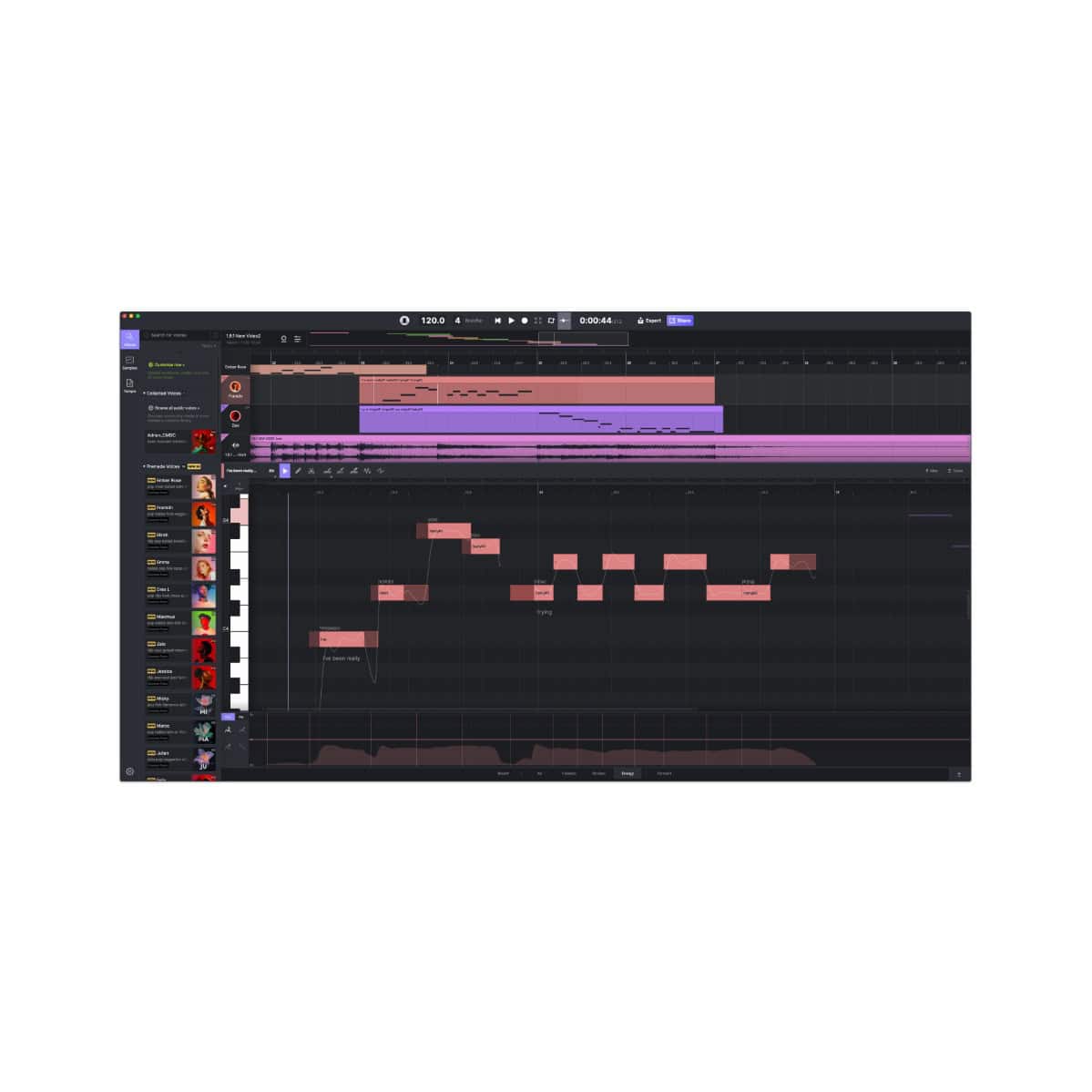
ACE Studio Artist 2.0 Lifetime is a one-time-purchase, all-in-one AI music production workstation tailored for musicians and producers who want powerful, subscription-free tools to create professional-grade tracks. It features super-expressive, human-like singing vocals generated from MIDI and lyrics using over 140 royalty-free AI voice models supporting multiple languages, along with 18+ royalty-free AI instruments that deliver realistic, emotionally nuanced performances from MIDI input, text prompts, or descriptions.

The Artist edition includes essential generative AI Kits for inspiring ideas, enhancing arrangements, and adding layers (with approximately 330 minutes of monthly processing in subscription equivalents, though lifetime focuses on core unlimited access), detailed AI vocal editing for pronunciation, pitch, vibrato, breathing, and more, stem separation, vocal-to-MIDI conversion, voice cloning capabilities (with 1 custom vocal synth slot), voice changer tools, and seamless DAW integration via the ACE Bridge plugin—empowering solo creators to efficiently produce full songs with AI-assisted vocals, instruments, and creative workflows while staying competitive in the fast-evolving AI music era.

Earn 1045 Points when you buy this product!

Why shop at Plugin Discounts?

  • Instant delivery on over 1,300 products
  • Earn points & rewards on every purchase
  • Exclusive deals and discounts on top brands like Waves, iZotope & more

ACE Studio Artist 2.0 Lifetime:

At its heart, ACE Studio Artist 2.0 delivers cutting-edge AI vocal synthesis: input MIDI notes + lyrics to instantly create studio-quality singing performances. Choose from over 140 royalty-free AI voice models covering diverse genres, timbres, and languages—including pop, rap, ballad, chanson, country, kids choir, and more. Fine-tune every detail: phrasing, pitch bends, vibrato, dynamics, and emotional nuance for human-like expressiveness that goes far beyond basic text-to-speech or auto-generation tools.Beyond vocals, the software includes:

  • AI Instruments — Generate breathtakingly realistic performances (e.g., violin, viola, and other strings) from MIDI—no massive sample libraries required.
  • Generative AI Kits — Turn text prompts, MIDI, and lyrics into complete vocal/instrumental ideas and creative building blocks.
  • Voice Changer & Voice Cloning — Instantly transform existing vocals or train custom singing models from your own voice samples for personalized, unique results.
  • Audio Editing Power Tools — Stem splitter, vocal-to-MIDI conversion, and other production utilities integrated into a modern, DAW-friendly canvas.

Step-by-Step Guide: Register & Install Your ACE Studio Products from Plugin Discounts

When you purchase an Ace Studio product from Plugin Discounts, you receive a Voucher Code (also called Redeem Code or Serial Number).

This voucher unlocks your lifetime license in your ACE Studio account. After redeeming, you can download and install the software + ACE Bridge 2 plugin.

1. Gather Your Purchase Details from Plugin Discounts

  1. Check your purchase confirmation email from Plugin Discounts or log into your Plugin Discounts account dashboard and check the order details.
  2. Locate your Voucher Code / Serial Number (a string of letters and numbers — copy it exactly).

Tip: If you can’t find the email, search your inbox for “Plugin Discounts” + the plugin name, or contact our support. The same info can be found within your order details in your account on our site.

2. Create / Log Into Your ACE Studio Account (Required)

  1. Go to https://acestudio.ai/ and click Login (top right) or Sign Up if you don’t have an account yet.
  2. Create a free account using your email and set a password (or log in if you already have one).
  3. Verify your email if prompted.

3. Redeem Your Voucher Code

  1. Go directly to the redemption page: https://acestudio.ai/app/voucher/membership
  2. Log in with your ACE Studio account.
  3. Paste your code from Plugin Discounts.
  4. Click Redeem / Submit.
  5. Once successful, click the ACE Studio logo (top left) to return to the Account Center home page.
  6. Your lifetime membership status will now show as active.

Important Redemption Notes:

  • Each code can only be redeemed once.
  • It can only be redeemed to the account you are currently logged into.
  • Voucher codes have an expiration date — redeem it as soon as possible.

4. Download & Install ACE Studio

  1. In the Account Center home page, click Launch ACE Studio (or go to the official download page: https://acestudio.ai/download/).
  2. Choose your operating system:
    • macOS → Click For Mac (downloads a .dmg).
    • Windows → Click For Win (downloads an .exe).
  3. Run the installer:
    • Windows: Double-click the .exe and follow the prompts.
    • macOS: Open the .dmg and follow the on-screen instructions.
  4. The installer will place ACE Studio on your computer and launch it automatically when finished.

System Requirements:

  • Windows: Windows 10 or 11 (64-bit, version 22H2+ recommended).
  • macOS: macOS Ventura (13) or later.
  • Internet connection required for activation and updates.
  • Modern computer (2020 or newer) recommended.

5. Install the ACE Bridge 2 Plugin

The plugin installs automatically with ACE Studio (or you will be prompted on first launch).

Windows

  • Automatically placed in the standard VST3 folder (C:\Program Files\Common Files\VST3).

macOS

  • On first launch of ACE Studio, you may be prompted to install ACE Bridge 2.
  • Enter your Mac password when asked.
  • Or go to Preferences in ACE Studio → reinstall ACE Bridge 2 if needed.

After installation, ACE Bridge 2 appears in your DAW as an instrument plugin (VST3 / AU / AAX).

6. Add ACE Bridge 2 to Your DAW

  1. Launch your DAW and create a MIDI track.
  2. Insert ACE Bridge 2 (search for “ACE Bridge”).
  3. Make sure ACE Studio is running in the background.
  4. In the Bridge window, connect to your account — your redeemed lifetime license will be active.
  5. Create or link a track in ACE Studio and start generating AI vocals/instruments.

7. Troubleshooting

  • Voucher Code not working? Double-check for exact spelling (no extra spaces). Make sure you are logged into the correct ACE Studio account. Try again or contact Ace Studio support if you are still having issues registering the code on their site.
  • ACE Studio says “No active membership” after redeem? Restart ACE Studio completely. Log out/in of the Account Center. Your access status refreshes after launching from the Account Center.
  • Plugin not showing in DAW? Rescan plugins in your DAW → restart DAW. Reinstall ACE Studio if needed.
  • macOS permission issues? Go to System Settings → Privacy & Security and allow ACE Studio / ACE Bridge.
  • Still stuck?

Official Resources:

That’s it! Once you redeem the voucher and install, your ACE Studio lifetime license is fully active with no further payments. You now have permanent access to all AI vocals, instruments, voice cloning, and the ACE Bridge 2 plugin in your DAW.

Enjoy making music! 🎵

Reviews

There are no reviews yet.

Only logged in customers who have purchased this product may leave a review.